How to write Cline rules and verify they load
Start with two rules you can check
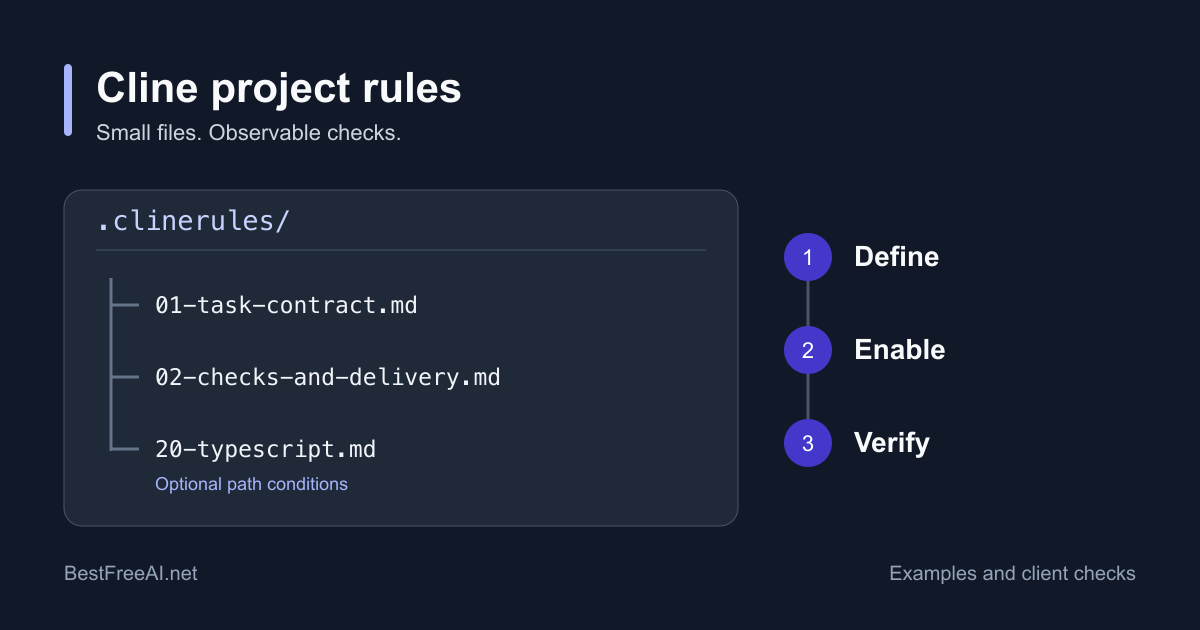
Put a task contract and a checks-and-delivery rule in your repository's .clinerules/ directory. Enable both, start a fresh task, and inspect the plan, diff, and test output. Add path conditions only after this basic setup works in your installed client.
This guide gives you complete example files and an acceptance procedure. We checked official documentation and a public source snapshot on October 23, 2026. We did not run Cline against a repository or measure whether these instructions improve model behavior.
Rules add instructions to the model's context. They do not create a permission boundary or a security sandbox. Keep tool approvals and repository access appropriate to the task. Cline's Auto Approve documentation describes those controls separately.
Choose the location for your client
The configuration guide documents project rules in .cline/rules/ and the older .clinerules/ layout. It also lists root AGENTS.md and global ~/.agents/AGENTS.md. For the examples below, choose .clinerules/ once. Do not duplicate the same instructions in both directories.
An extensionless .clinerules file is also a supported legacy input in the current loader. A file and a directory cannot share that path. Before converting an existing file, preserve its text, then move that text into a Markdown file inside the new directory. Keep rule files directly inside the directory. This loader scans .md, .markdown, and .txt children, not nested rule folders.
For personal defaults, the shared path resolver searches ~/.cline/rules, ~/Cline/Rules, and the Documents-based Cline Rules location. Windows can also use redirected OneDrive Documents locations. Use the location your client actually displays rather than guessing which Documents folder it uses.
The Rules documentation says workspace rules take precedence over conflicting global rules. Remove contradictions anyway. Numeric prefixes organize files; they do not establish a permission hierarchy or prove which conflicting instruction the model follows.
Keep client differences visible:
- In the editor, open the Rules panel with the scale icon, and check each file's toggle.
- The CLI shares the documented rule directories, but has its own configuration and approval controls. Inspect
cline config. Its CLI reference overview currently lists global auto-approval as enabled by default, so verify that setting before a trial. - Cloud Agents currently do not load rules, skills, MCP servers, or connectors. Committing a rule does not activate it in a cloud session.
Create a task contract and a delivery rule
Open the repository root in your editor. If .clinerules does not already exist, create that directory. Save each block below as the named file. These examples assume a JavaScript or TypeScript project with a package.json. Adapt the allowed paths, package manager, and checks to the actual repository.
Save .clinerules/01-task-contract.md:
# Task contract

Before proposing a change:
- Read README.md and package.json. Identify the package manager from the lockfile.
- Inspect the target files and nearby tests. Do not read .env files or credentials.
- State the requested behavior, files you intend to change, and relevant checks.
- If the request does not define an edit scope, propose one before editing.

During implementation:
- Change only files needed for the agreed task. Preserve unrelated user changes.
- Explain why a dependency or lockfile change is required before making it.
- If a necessary change falls outside the agreed scope, stop and explain it.
Save .clinerules/02-checks-and-delivery.md:
# Checks and delivery

Before handoff:
- Find the documented check commands in package.json and the project README.
- For changed program behavior, add or update a focused test when a test setup exists.
- Run the relevant test and the configured type or lint checks for the changed code.
- If a required check is unavailable or cannot run, report that limitation.

During handoff:
- Review the final diff for unrelated edits and whitespace errors.
- In the handoff, list changed files, exact commands and outcomes, and unresolved issues.
- Never report a check as passed unless you observed its successful result.
The rules ask Cline to discover commands. They do not assume every project defines lint, typecheck, or test. For example, an npm project might use the commands below. The last two work only if the scripts exist and the test runner accepts a file argument. Replace them with the repository's actual commands.
git status --short
npm run
git diff --check
npm run typecheck
npm test -- src/utils/parse-label.test.ts
Keep these checks unconditional. A testing requirement that loads only for *.test.ts can miss a task that changes application code without creating a test.
Confirm loading before trusting behavior
In the editor's Rules panel, confirm that both files appear under the workspace and are on. Then inspect the files in Git. The current extension implementation persists toggles through YAML disabled metadata. Turning a rule off can therefore change a tracked file. Review that diff before committing a local preference to the team.
Start a fresh conversation in Plan and use a bounded request. Adapt these paths to an existing function and test in your repo:
Plan only. In src/utils/parse-label.ts, make parseLabel reject empty
or whitespace-only input while preserving valid input behavior.
The edit scope is that file and src/utils/parse-label.test.ts.
Before editing, identify the relevant existing code and test command.
Check whether the response identifies the two-file scope, existing implementation, and applicable checks. A response saying "I loaded the rules" is insufficient evidence. Compare its plan with the files it inspected. When you are satisfied, switch to Act with the intended approvals and let it attempt the change.
Accept the result only after you inspect the diff and observed check results. The change must reject the specified input, preserve existing valid behavior, and stay within scope. Cline's checkpoints use a separate shadow Git repository. They help restore local work, but do not replace your commits, branch review, or backups.
Add a conditional rule and test both cases
The Rules guide documents paths as an array of workspace-relative glob patterns. Any matching path can activate the rule. Editor tabs, prompt paths, and files involved in the task can contribute context. A matching file does not bypass an off toggle.
Save this optional file as .clinerules/20-typescript.md:
---
paths:
  - "src/**/*.ts"
  - "src/**/*.tsx"
---

# TypeScript changes

For a task that changes a .ts or .tsx file under src:
- Include TS-RULE-ACTIVE once in the initial plan during rule acceptance.
- Inspect nearby types before introducing a new public type.
- Preserve exported signatures unless the task requires an API change.
- Explain any new use of any or a TypeScript suppression comment.
Treat path activation as a capability to verify in your installed client. The current SDK rule renderer selects enabled rules without evaluating paths in that function. This source inspection does not prove identical conditional behavior across the editor, Desktop, and CLI. Keep necessary task constraints in unconditional files until you have checked the client you use.
- Start a fresh editor task and mention a real matching file outside a pasted code block. Look for the documented conditional-rule notification and the temporary
TS-RULE-ACTIVEmarker. - Start another fresh task about a Markdown file outside
src. Close matching TypeScript tabs first. Check that the conditional rule does not activate. - Turn the optional rule off and repeat the matching task. Check that it stays inactive. Restore your intended toggle state afterward.
- Remove the acceptance marker from the rule after these checks. Retain the coding instructions you need.
The marker checks instruction delivery, not code quality. Use the actual diff and checks to assess compliance. A rule can load and still be ignored or misinterpreted by the model.
Diagnose missing or unexpected rules
Check these causes in order before expanding your rule collection:
- Confirm the client and workspace root. A cloud session does not load these files. A subfolder opened as the workspace can change which root rules are discovered.
- Confirm the exact path and toggle. Use a nonempty Markdown file directly inside
.clinerules/or.cline/rules/. Inspectdisabled: trueand conflicting copies in global rules orAGENTS.md. - Check YAML delimiters and indentation. Use the quoted string array above. The documentation describes invalid YAML as fail-open, but the current SDK parser throws on parse errors. Fix the syntax instead of depending on either fallback.
- Check context and glob scope.
src/*.tsdoes not cover nested directories. Start a fresh task, mention an exact relative path, and close unrelated matching tabs. The documentedpaths: []behavior is to match nothing; do not use an empty array for an always-on rule. - Separate loading from compliance. If a visible rule loads but the patch violates it, shorten the instruction, resolve conflicts, and rerun the small acceptance task. Record the client version rather than claiming a general Cline defect.
Keep one record per trial:
| Record | What to save |
|---|---|
| Environment | Client and version, repository commit, provider and exact model |
| Rule state | File names, rule commit or diff, toggles, matching path |
| Loading evidence | Rules panel state, conditional notification if available, marker result |
| Task evidence | Prompt, proposed scope, final diff, unrelated edits |
| Acceptance | Exact check commands and outcomes, manual corrections, remaining failures |
Maintain rules as reviewed project files
Commit the shared rules with the code they describe. Give rule changes a reviewer and include the small acceptance task in the change description. When a script, directory, or convention changes, update its rule in the same pull request. Keep personal defaults global and keep credentials out of every shared rule.
An "awesome .clinerules" collection can supply an idea, but inspect every instruction before importing it. Remove references to files your repo does not have, unsupported commands, broad auto-approval requests, and instructions that conflict with your task. A smaller set of tested instructions is easier for a maintainer to review.
If you are migrating old Roo rules, Roo's official notice says its extension, Cloud, and Router shut down on May 15, 2026. Rewrite the intent for Cline and repeat acceptance. Renaming an old Roo rule file does not transfer mode restrictions, permissions, or hosted services. Our Roo-to-Cline migration guide covers that transition. Use Kilo Code vs Cline when your decision is which maintained client to use.