Cline vs Roo Code: Roo has shut down, here is how to migrate
Roo Code's extension, Cloud, and Router shut down on May 15, 2026. This is now a migration decision, rather than a comparison between two actively maintained products. The official sunset notice recommends Cline for a model-agnostic open-source extension. The Roo repository is archived.
We checked the official sources below on October 23, 2026. This guide explains documented capabilities and a migration process. We did not measure comparative speed, token savings, or code accuracy.
What changes when you replace Roo with Cline
An archived codebase can remain readable without its former hosted services being available. Do not interpret the old extension's source availability as continued support for Roo Cloud or Router. Roomote is the creators' separate cloud-agent product, not a renamed version of the Roo editor extension.
Cline is a practical first candidate if you want a configurable model connection and an agent working with your repository. Its Plan and Act workflow separates reading and discussion from implementation. Plan cannot change files or execute commands. Act can do both. This differs from assuming every former Roo custom mode has an identical replacement.
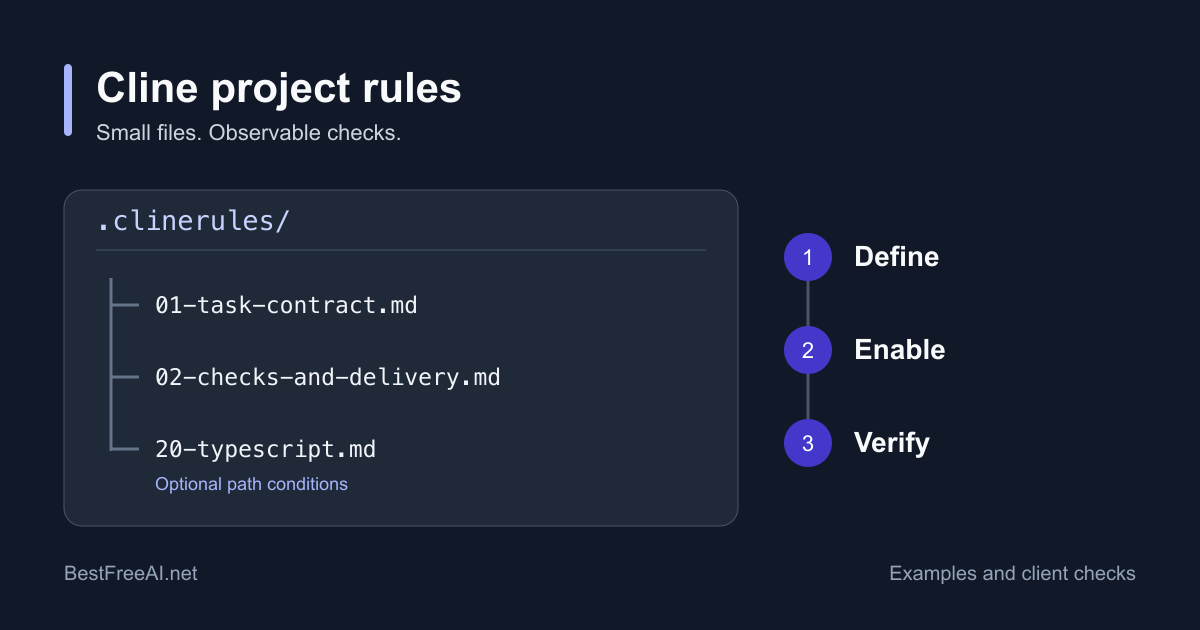
Cline's rules documentation supports workspace rules in .clinerules/ and .cline/rules/, as well as AGENTS.md. Port the instructions you actually need. Recheck mode-specific tool restrictions rather than copying a prompt and assuming it preserves permissions.
For file examples and a loading check, use our Cline rules guide. It covers project scope, conditional rules, and how to verify which instructions a particular client applies before relying on them.
Cline's Auto Approve can authorize categories of reads, edits, commands, browser actions, and MCP calls; YOLO mode is broader. Inspect these settings before your first write. Cline is not inherently a manual-approval-only tool.
Configure a Cline migration you can verify
- Commit or back up the repository and export the old instructions, model names, and MCP server definitions you need. Keep credentials out of shared files.
- Install the maintained client through Cline's installation guide. Select a supported provider and an exact model. Configure authentication again instead of relying on a Roo Router balance or login.
- Put the relevant project instructions in the documented rule format. Reconnect each MCP server and check its authentication and approval settings separately.
- Start in Plan. Ask Cline to identify the files for one small change. Check its references, then switch to Act with deliberate edit and command permissions.
- Inspect the diff, run your project checks, and compare the provider's recorded spend with the task you completed.
These are migration checks, not a promise that old Roo histories, profiles, or custom modes import automatically. Preserve a readable copy of anything you need before changing clients.
Understand Cline's actual cost
The Cline usage-billing provider uses a Cline credit balance. ClinePass is a separate subscription provider, and other provider connections have their own billing terms. The local-model guide documents local inference options. Local requests still use your hardware, and external tools can have separate charges.
A free client does not make paid inference free. Record input, output, caching, retries, and external service charges where reported. There is no supported basis here for the old claim that Roo always costs less than Cline, or for fixed monthly estimates based only on team size.
Roo vs Kilo as a migration choice
Kilo is another candidate when configurable agents and model routing are important. Its current agent guide describes Code, Ask, Plan, and Debug. Orchestrator is deprecated. Do not assume an older Roo Architect or Orchestrator preset maps directly to the current client.
Choose the provider and model again, recreate the necessary project instructions, and inspect Kilo's tool permissions. Use an ask-for-approval configuration for an initial evaluation. A similar-looking interface does not prove identical tool access, local-only networking, or compatible saved sessions.
Kilo Gateway billing distinguishes inference from payment fees. Inference uses upstream rates without markup, but purchasing Kilo credits adds a separate 5% processing fee. With Gateway BYOK, the provider bills your model usage directly. For example, purchasing $10 of credits incurs a $0.50 processing fee separately; the balance funds $10 of usage. This is an illustration of the stated fee, not an estimate of a coding task.
Choose Kilo if its current agent and routing controls fit your needs after that check. Choose Cline if Plan and Act and its provider options fit better. Both need a fresh billing and permissions review. Our Kilo vs Cline comparison covers the maintained products in more detail.
Roo vs GitHub Copilot as a migration choice
Copilot fits a different migration goal: use GitHub account access, editor assistance, and GitHub workflows under a Copilot plan. It is not a drop-in restoration of Roo Router. An API key or balance from a Roo provider is not a Copilot entitlement.
The current Copilot plans list limited Free access, Pro at $10 per month, Pro+ at $39, and Max at $100. Business and Enterprise are priced per granted seat. Plans include GitHub AI Credits with model and agent restrictions; a monthly price does not imply unlimited access to every model. Check the current allowance and organization policies before subscribing.
Sign in with the intended GitHub account, confirm its entitlement, and check which agent tools your editor and organization permit. Move repository-wide guidance into .github/copilot-instructions.md. Verify support for any path-specific instructions, MCP servers, and former Roo tool restrictions in the particular Copilot interface you will use. Do not assume they transfer with the repository.
Choose Copilot if its GitHub integration and plan meet your workflow. Choose a provider-configurable client such as Cline or Kilo if managing those model connections yourself is the requirement. In either case, validate one real change before retiring the old configuration.